Skip To Main
  • Shop
    • All products
    • VEEV Devices
      • VEEV Device
      • VEEV Device Space Grey (basic)
    • Compare devices
  • Discover VEEV
    • Discover VEEV What is VEEV?
      Designed for your convenience. ONE device has it.
      Designed for your convenience. VEEV device has it. Discover VEEV device.
    • News and events
iqos Logo
  • Important information
  • Get support
  • Store Locator
  • 562C2D68-971C-429B-AA1D-B87DA05127F8
  • Shop
    • Shop
    • All products
    • VEEV Devices
      • VEEV Devices
      • VEEV Device
      • VEEV Device Space Grey (basic)
    • Compare devices
  • Discover VEEV
    • Discover VEEV
    • Discover VEEV What is VEEV?
    • News and events
    Designed for your convenience. ONE device has it.
    Designed for your convenience. VEEV device has it. Discover VEEV device.
  • My Account
  • Important information
  • Get support
  • Store Locator
  • My Account
  • Bahasa Melayu
  • English
iqos Logo
562C2D68-971C-429B-AA1D-B87DA05127F8

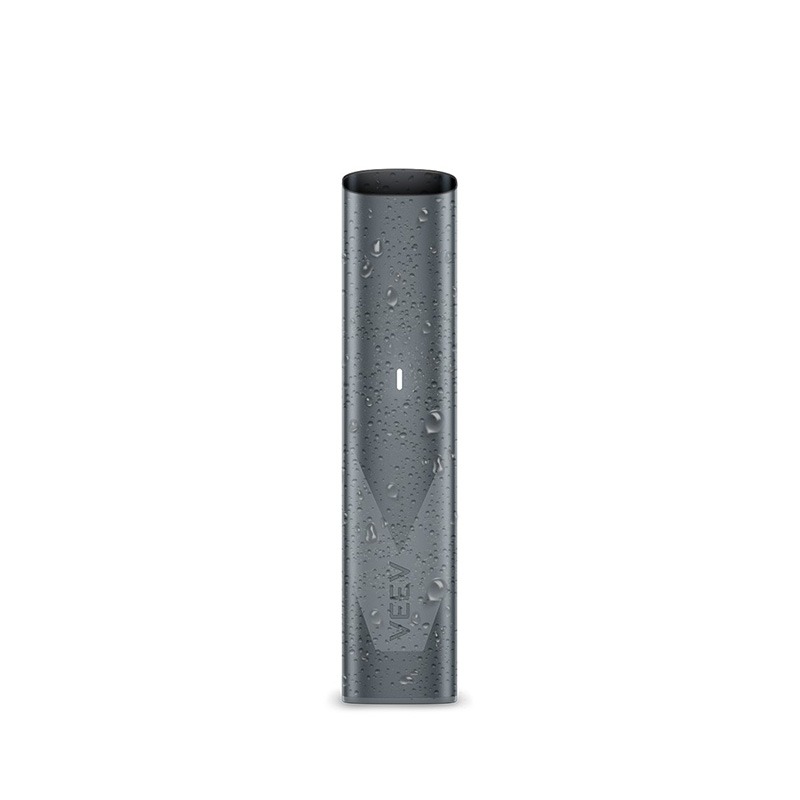
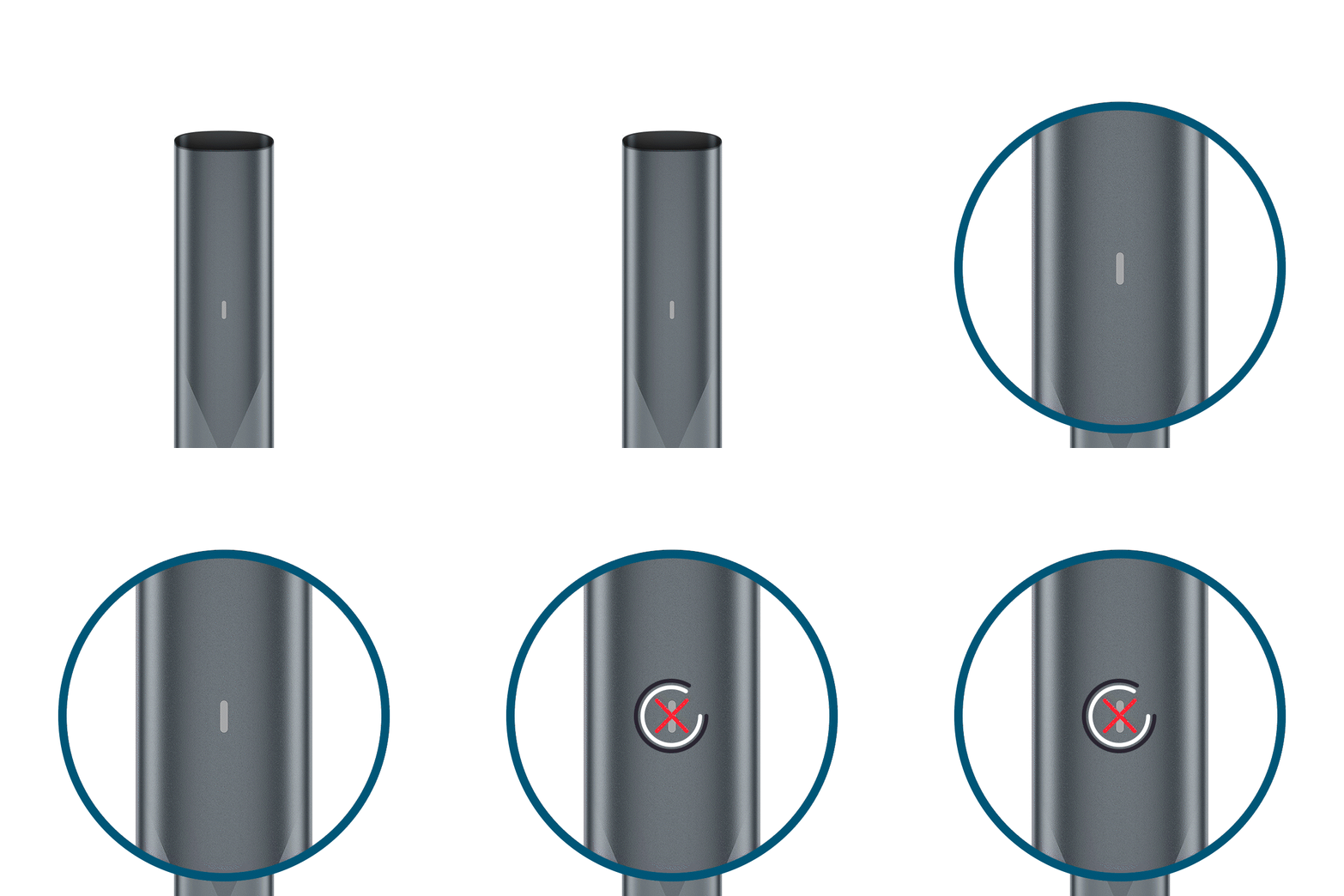
No light on device

    There might be a contact issue between the V-Ceramic™ pod and the device

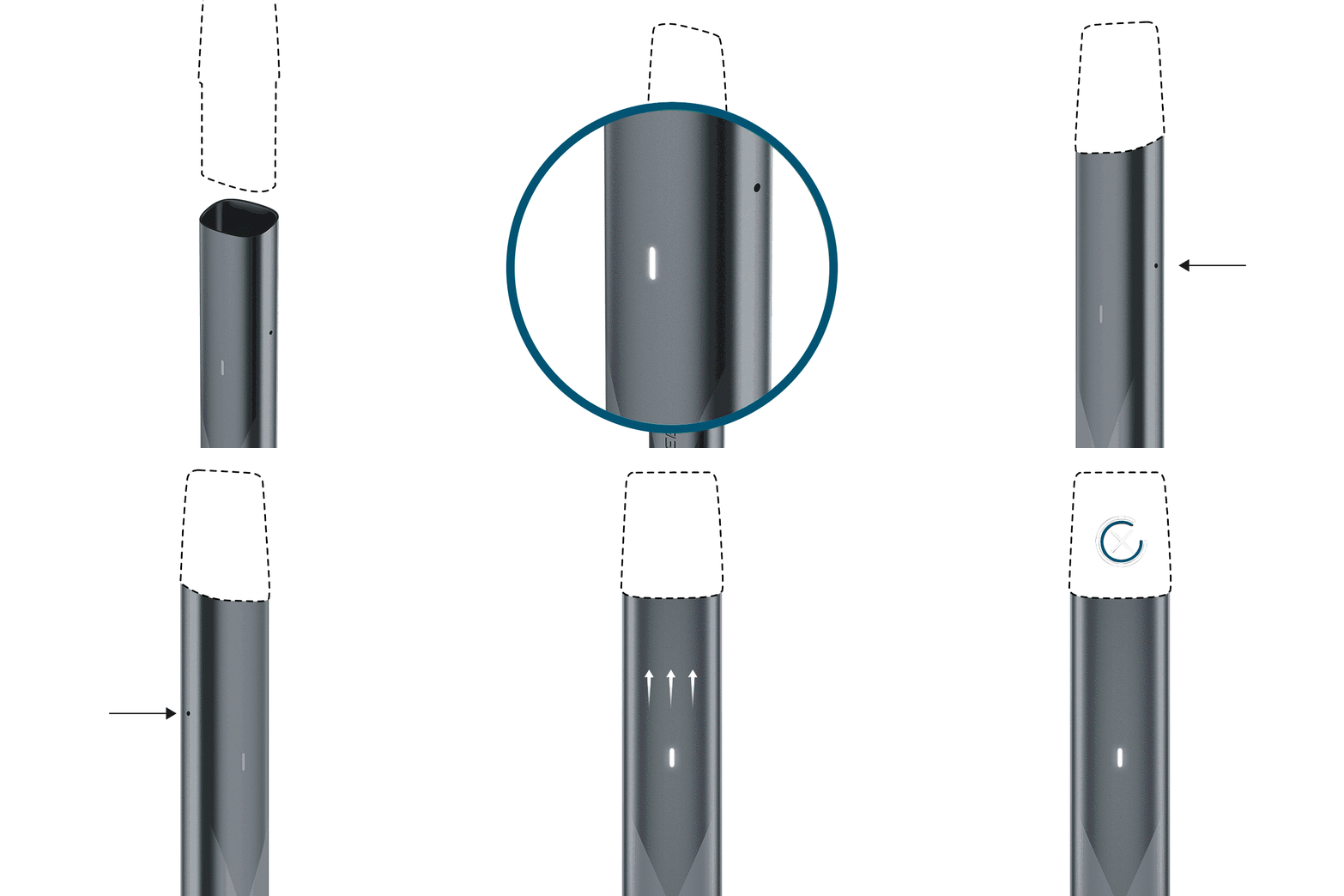
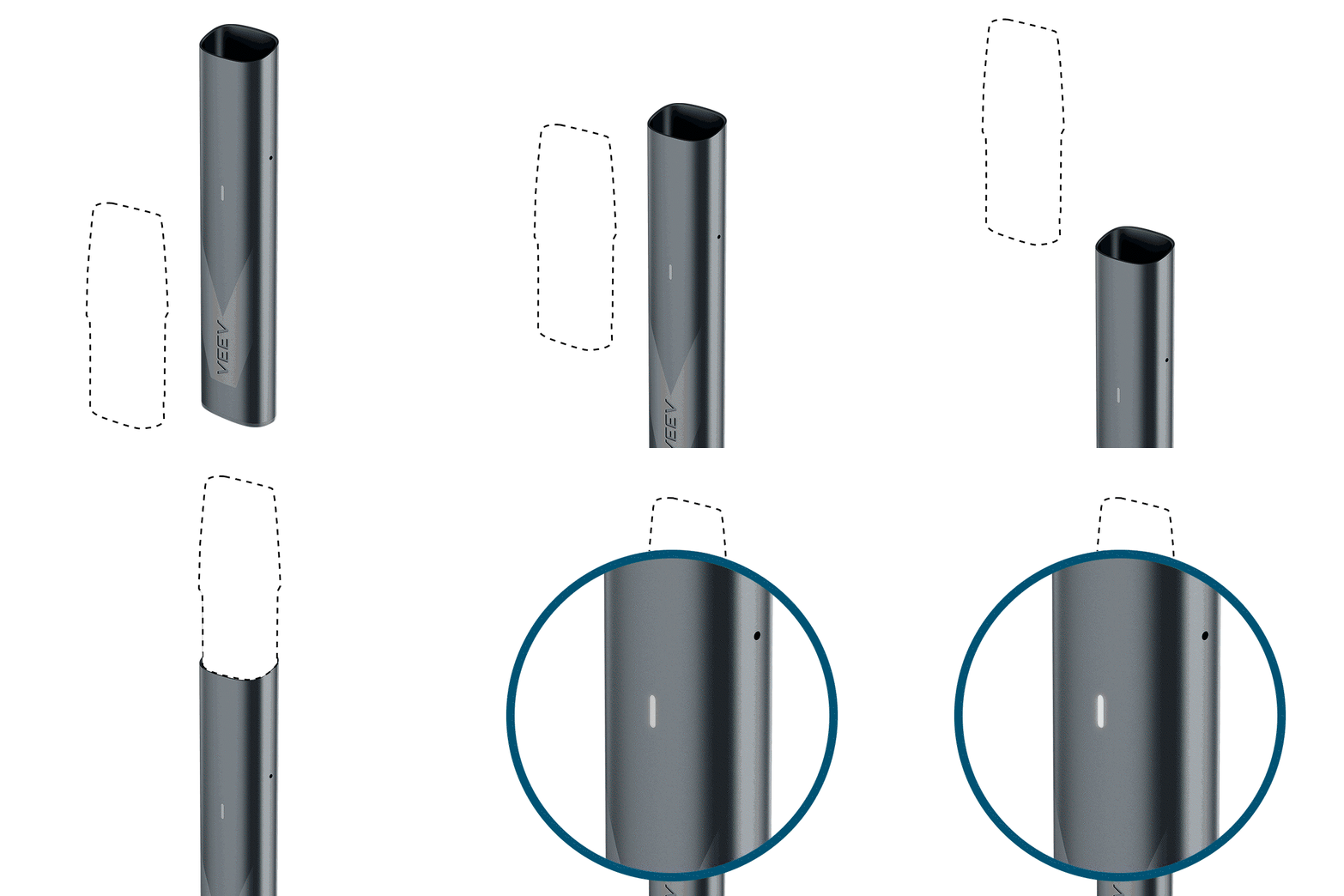
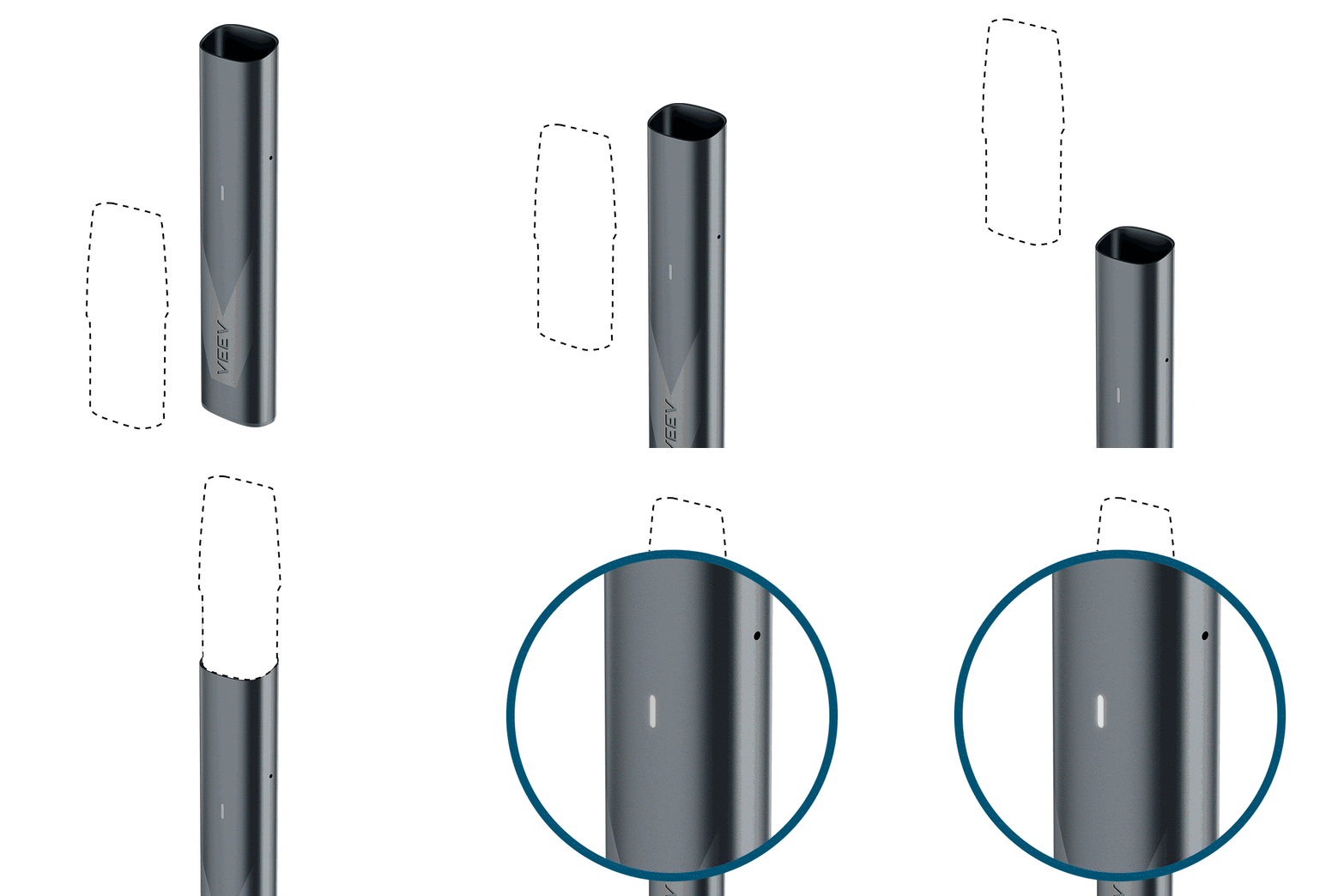
    1. Remove the V-Ceramic™ pod and reinsert it ensuring it is in the correct orientation and fully pushed in.

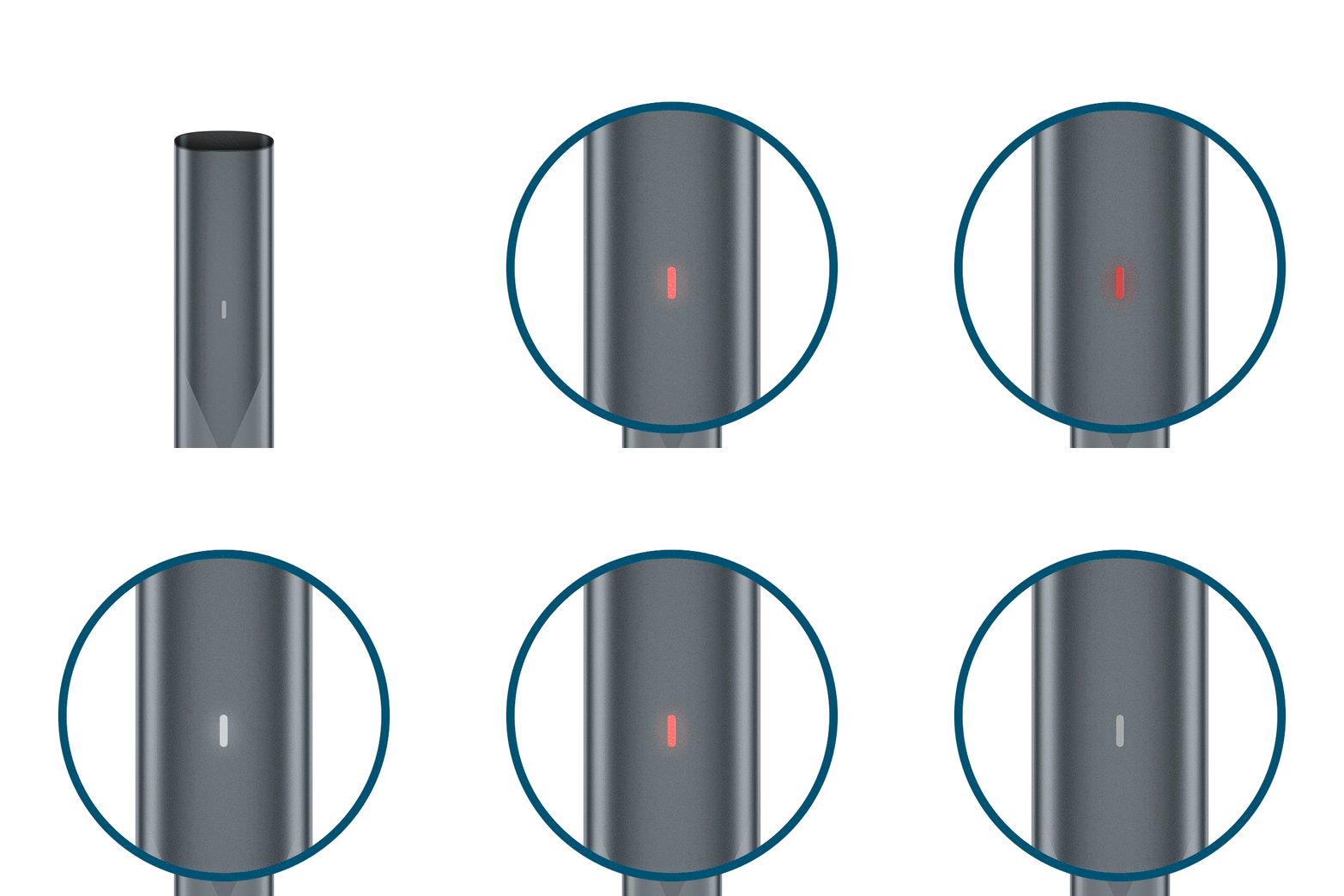
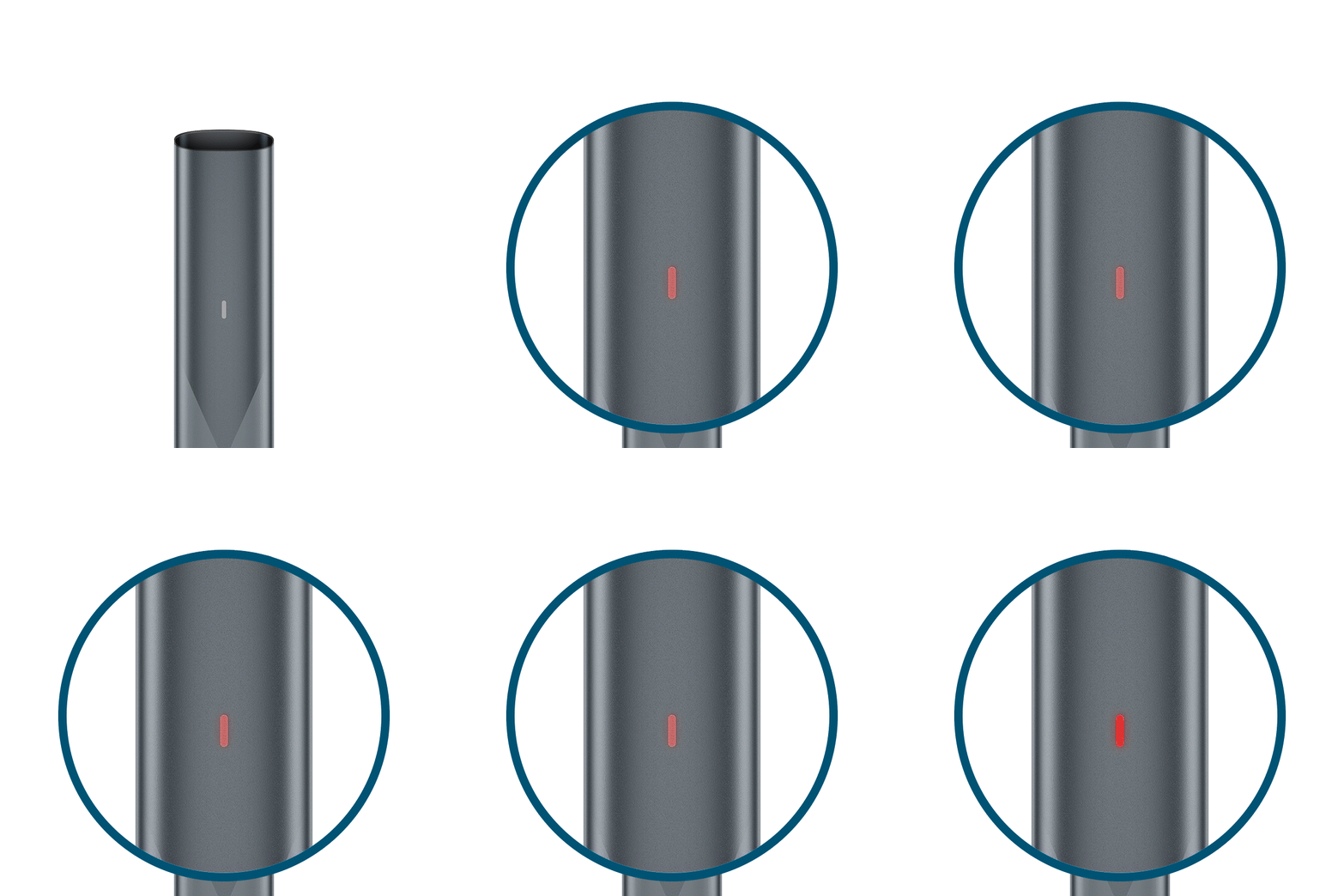
    ● When inserting the V-Ceramic™ pod if the device is locked, the light will blink red then white once.

    ● If the device is unlocked, the light will blink white just once.
Does a light show on insertion?
YES NO

Issue Resolved

    Congratulations! We are happy that you can now continue enjoying VEEV ONE.

    We are frequently introducing new product and accessories. See what’s new by visiting our online store or at one of our retail stores

    VEEV CUSTOMER CARE

FINISH

No light on device

    Your device needs charging

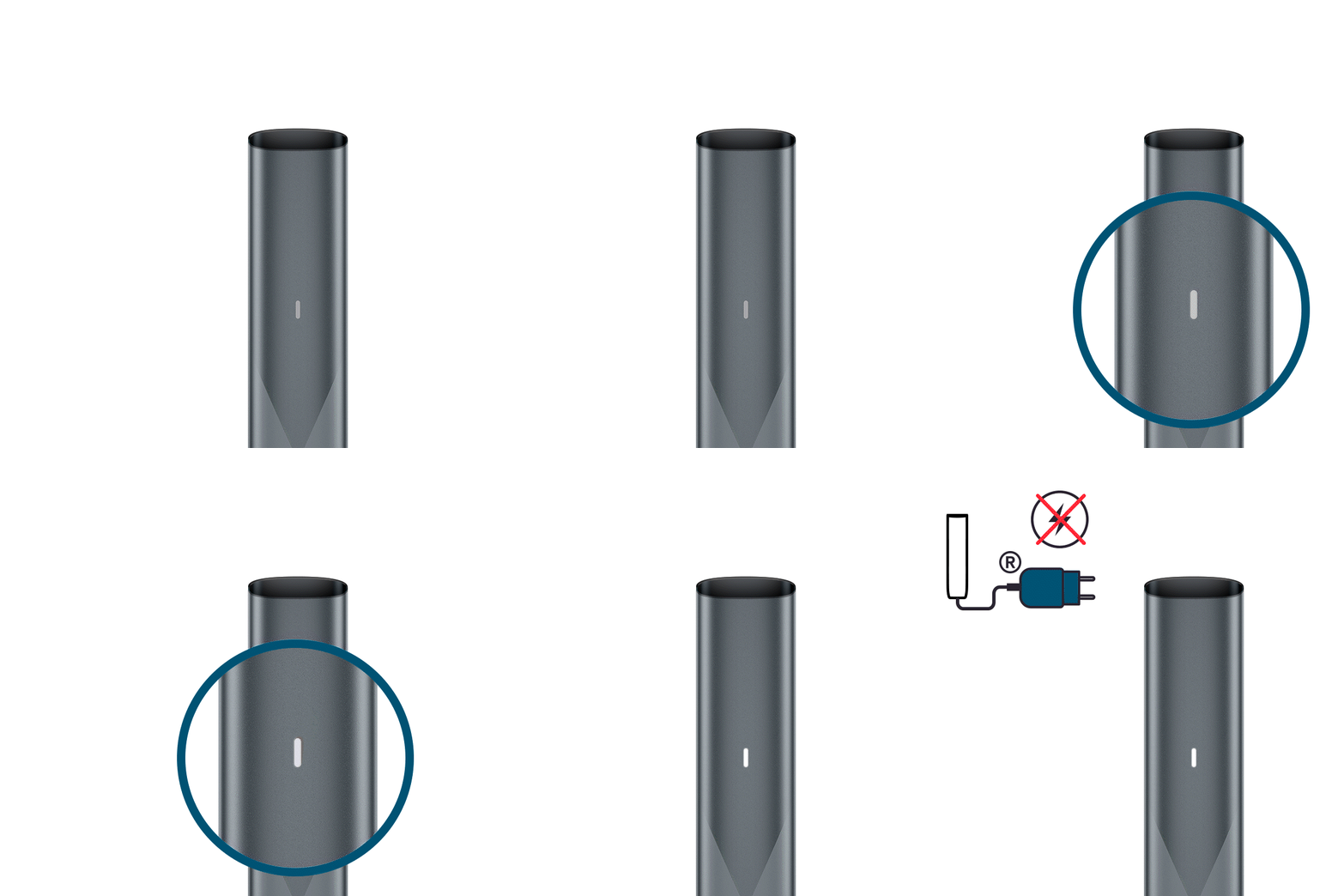
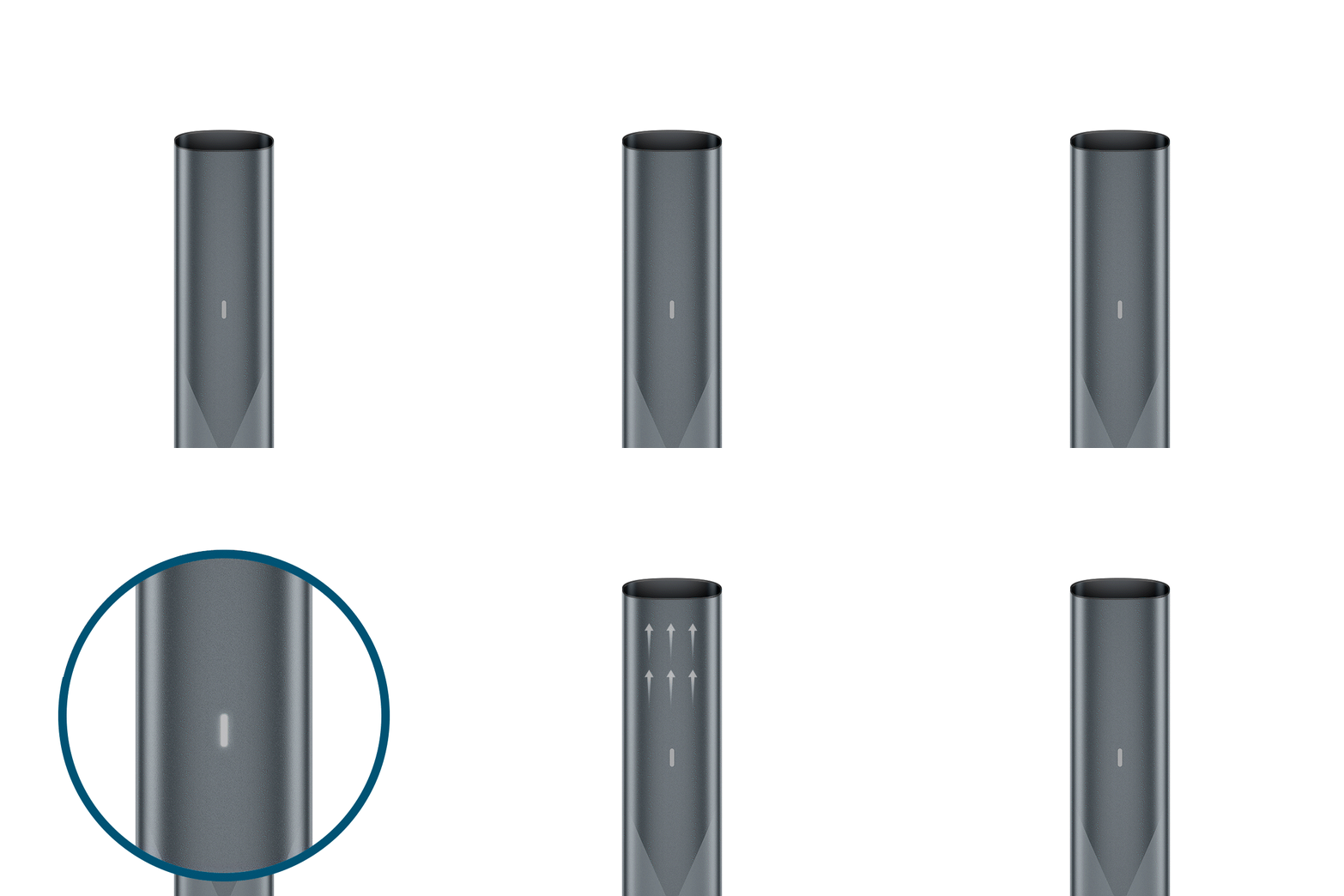
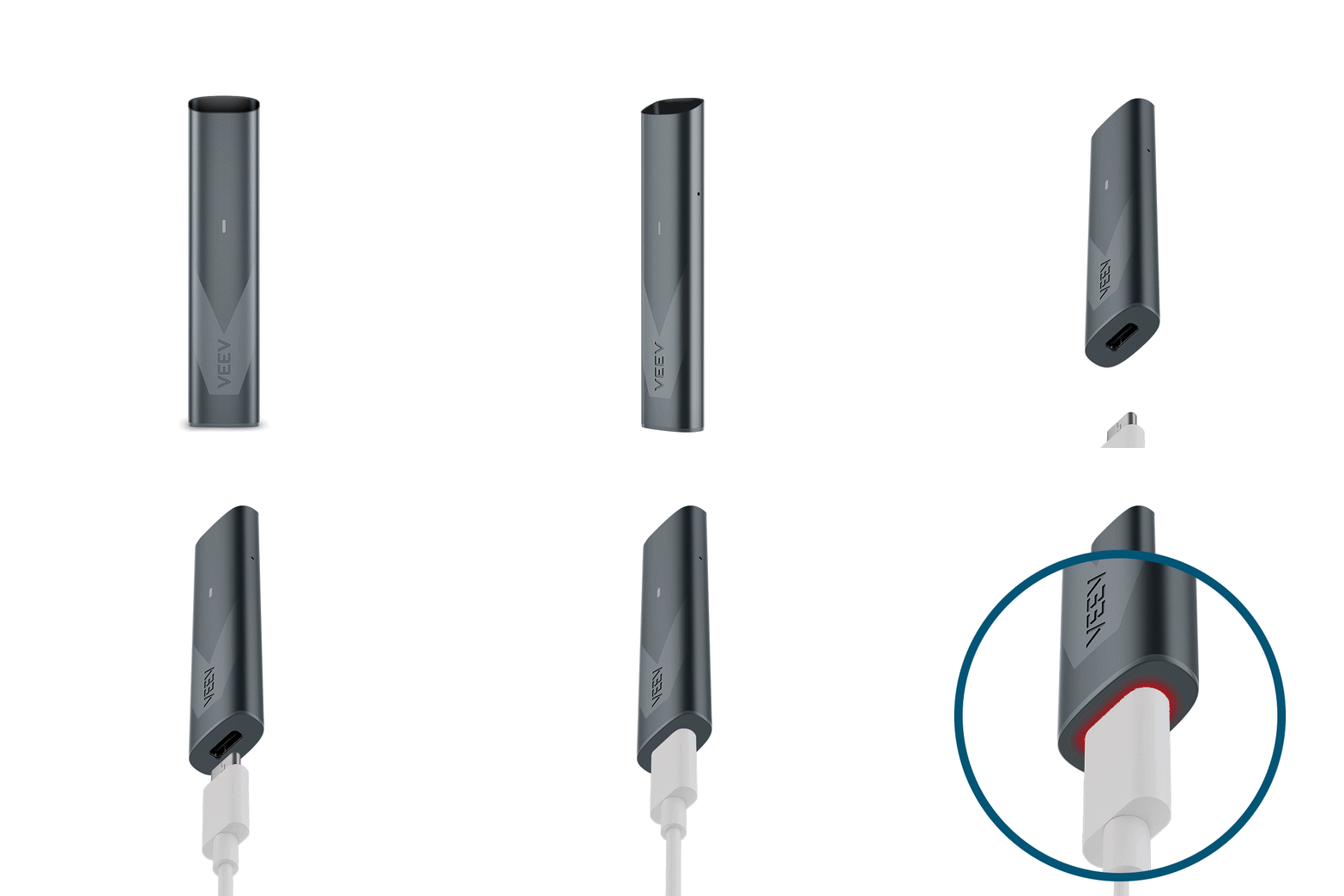
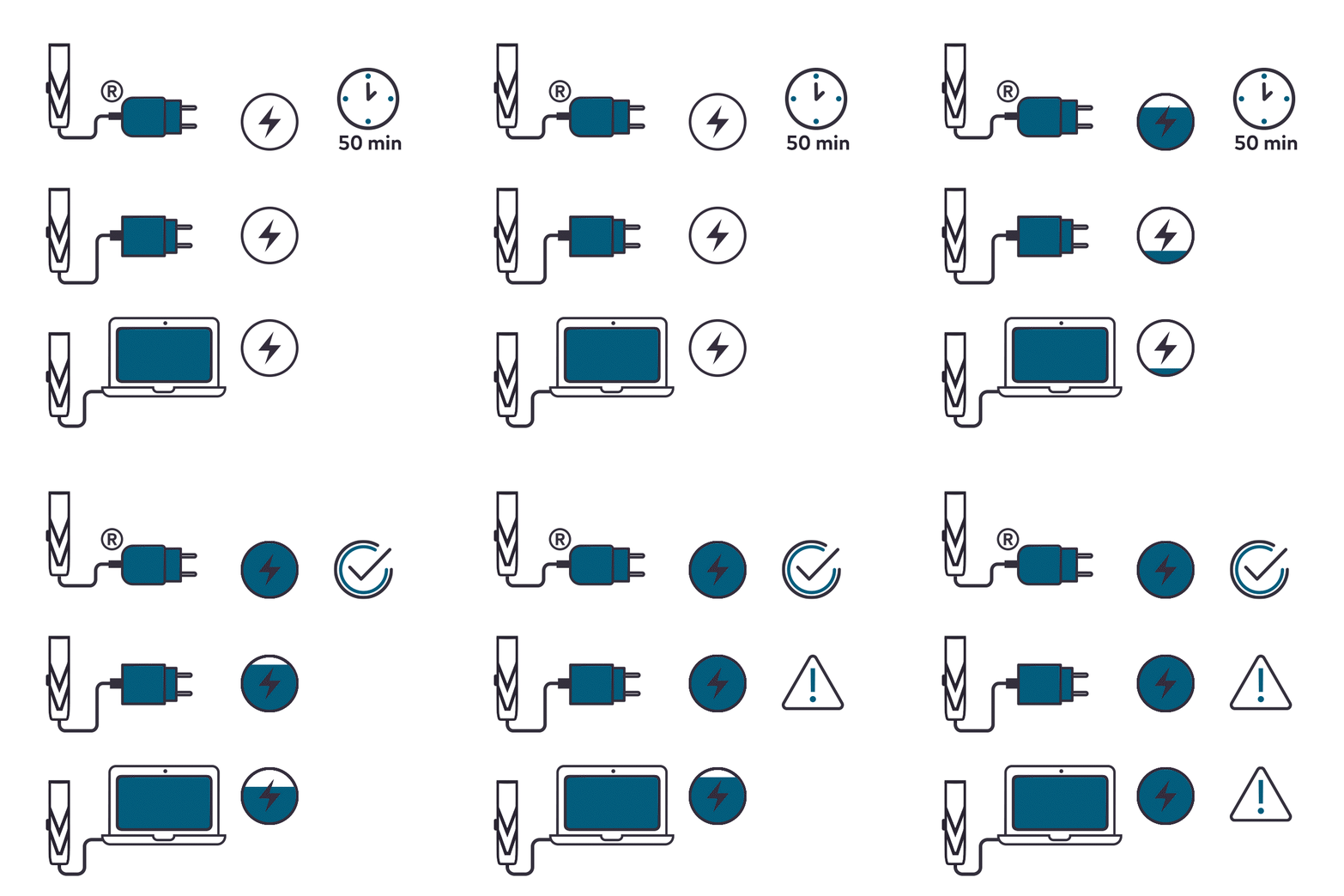
    1. Charge the device using a compatible power adaptor and charging cable for a minimum of 10 minutes or until the light stays white.

    ● If using a compatible cable and AC adaptor as per SWI, a full charge takes approximately 60 minutes.

    ● If fully discharged, the light will start blinking to indicate charging as soon as the device is connected.

    ● When fully charged, the white light will stay on and will turn off after 8 hours or when the charging cable is disconnected.

    2. Take the V-Ceramic™ pod out and reinsert ensuring it is in the proper orientation and fully pushed in.

Are there lights on the device on V-Ceramic™ pod insertion?
YES NO

Issue Resolved

    Congratulations! We are happy that you can now continue enjoying VEEV ONE.

    We are frequently introducing new product and accessories. See what’s new by visiting our online store or at one of our retail stores

    VEEV CUSTOMER CARE

FINISH

No light on device

    There might be an issue with your V-Ceramic™ pod

    1. Take V-Ceramic™ pod out, clean the contacts on the device using a clean dry cloth.

    2. Insert a new V-Ceramic™ pod ensuring it is in the correct orientation and fully pushed in.

Are there lights on the device on V-Ceramic™ pod insertion?


YES No

Issue Resolved

    Congratulations! We are happy that you can now continue enjoying VEEV ONE.

    We are frequently introducing new product and accessories. See what’s new by visiting our online store or at one of our retail stores

    VEEV CUSTOMER CARE

FINISH

No light on device

    Your device may have been exposed to liquid

Was your device exposed to liquid?
YES NO

Issue Resolved

    Congratulations! We are happy that you can now continue enjoying VEEV ONE.

    We are frequently introducing new product and accessories. See what’s new by visiting our online store or at one of our retail stores

    VEEV CUSTOMER CARE

FINISH

No light on device

    Your device may have been damaged

Was your device handled properly?
YES NO

Eligibility Check

    If your device is eligible we will replace it for you!

    If you proceed with eligibility check, you will not be able to return to the device diagnostics

Would you like to continue with an eligibility check?
START

Not Covered

    We are sorry accidental damage coverage is not covered under warranty. If you need any further support on your device, you can also visit our FAQs

    or

    If you wish to reach a customer service representative, visit “contact us” page to choose the channel of your preference.

    VEEV CUSTOMER CARE

FINISH

Light on V-Ceramic™ pod insertion, but low or no aerosol

    Your device‘s holes may be covered

    1. Check if your device’s airflow holes may be covered and uncover them.

    2. Light will still come on even if the airflow holes are blocked, but there will be low or no aerosol delivered.

Did this resolve the issue?
YES NO

Issue Resolved

    Congratulations! We are happy that you can now continue enjoying VEEV ONE.

    We are frequently introducing new product and accessories. See what’s new by visiting our online store or at one of our retail stores

    VEEV CUSTOMER CARE

FINISH

Light on V-Ceramic™ pod insertion, but low or no aerosol

    Your device might be locked, presents low liquid or discharged

    Check whether your device is blinking red and white.

Is the light blinking red then white when trying to use?
YES NO

Light blinking red then white

    Your device may be locked

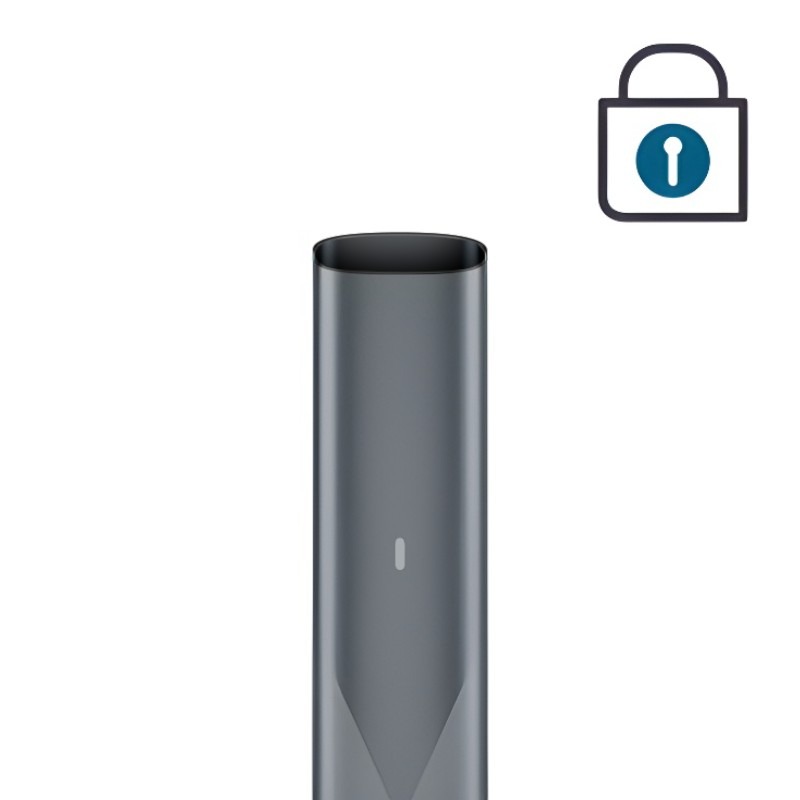
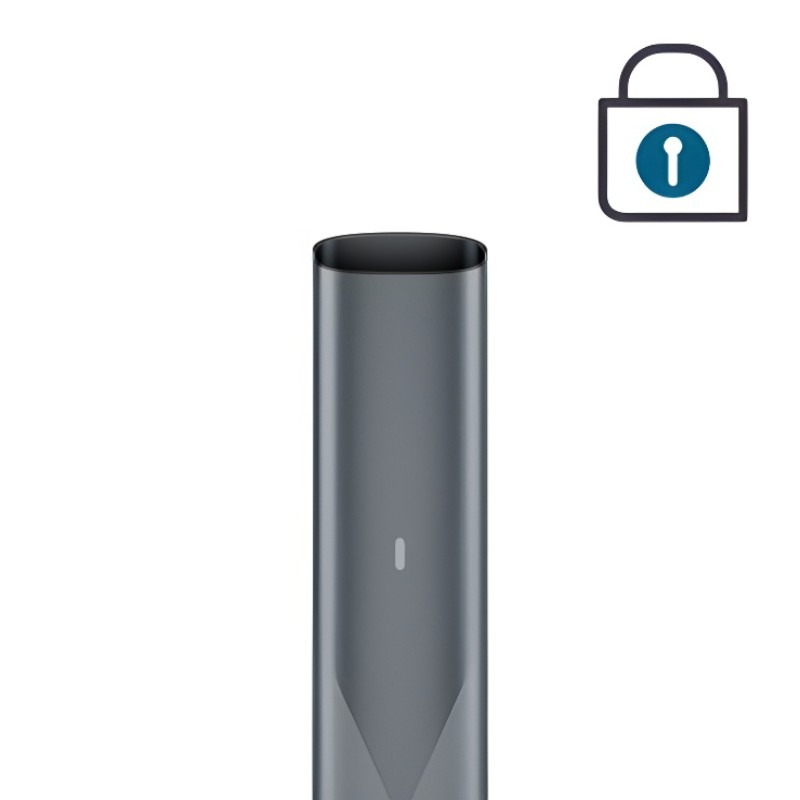
    1. Ensure that the device is unlocked by inserting the V-Ceramic™ pod 3 consecutive times within 3 seconds. Repeat until the light blinks white once.

    2. Please note: If the device is locked, the light will blink red then white upon V-Ceramic™ pod insertion.

    If the device is unlocked, the light will blink white once upon V-Ceramic™ pod insertion.

Did this resolve the issue?
YES NO

Issue Resolved

    Congratulations! We are happy that you can now continue enjoying VEEV ONE.

    We are frequently introducing new product and accessories. See what’s new by visiting our online store or at one of our retail stores

    VEEV CUSTOMER CARE

FINISH

Light blinking red then white

    Your device may have low liquid

    1. Take the V-Ceramic™ pod out and clean the contacts on the device using a clean dry cloth. Insert new V-Ceramic™ pod

    ● The light will blink red then white 3 times when the V-Ceramic™ pod is running out of liquid

Did this resolve the issue?
YES NO

Issue Resolved

    Congratulations! We are happy that you can now continue enjoying VEEV ONE.

    We are frequently introducing new product and accessories. See what’s new by visiting our online store or at one of our retail stores

    VEEV CUSTOMER CARE

FINISH

Light blinking red then white

    Your device may have low battery

    1. Charge the device using a compatible AC power adaptor and charging cable for a minimum of 10 minutes or until the light stays white: The white light will blink during charging.

    2. Unplug the device and check if the light is still blinking red and white when trying to use.

Did your device charge when plugged in?
YES NO

Light blinking red then white

    Your device may have low battery

    Unplug the device and check if the light is still blinking red the white when trying to use.

Is the issue solved?
YES NO

Issue Resolved

    Congratulations! We are happy that you can now continue enjoying VEEV ONE.

    We are frequently introducing new product and accessories. See what’s new by visiting our online store or at one of our retail stores

    VEEV CUSTOMER CARE

FINISH

Eligibility Check

    If your device is eligible we will replace it for you!

    If you proceed with eligibility check, you will not be able to return to the device diagnostics

Would you like to continue with an eligibility check?
START

Light on when inserting a V-Ceramic™ pod but device is not charging

    Your device's USB port and charging cable may be contaminated

    1. Unplug the device and ensure that the charging ports on both the device and the charging cable are clean and free from contamination.

    2. Charge the device using a compatible charging cable and AC adaptor for a minimum of 10 minutes or until the light stays white.

Did this resolve the issue?
YES NO

Issue Resolved

    Congratulations! We are happy that you can now continue enjoying VEEV ONE.

    We are frequently introducing new product and accessories. See what’s new by visiting our online store or at one of our retail stores

    VEEV CUSTOMER CARE

FINISH

Light on when inserting a V-Ceramic™ pod but device is not charging

    Your charging cable or AC power adaptor may be damaged

    If available, try charging the device with a different compatible AC power adaptor and charging cable for a minimum of 10 minutes, or until the light stays white.

Did this resolve the issue?
YES NO

Issue Resolved

    Congratulations! We are happy that you can now continue enjoying VEEV ONE.

    We are frequently introducing new product and accessories. See what’s new by visiting our online store or at one of our retail stores

    VEEV CUSTOMER CARE

FINISH

Light on when inserting a V-Ceramic™ pod but device is not charging

    Your device may be operating outside of the recommended temperature range

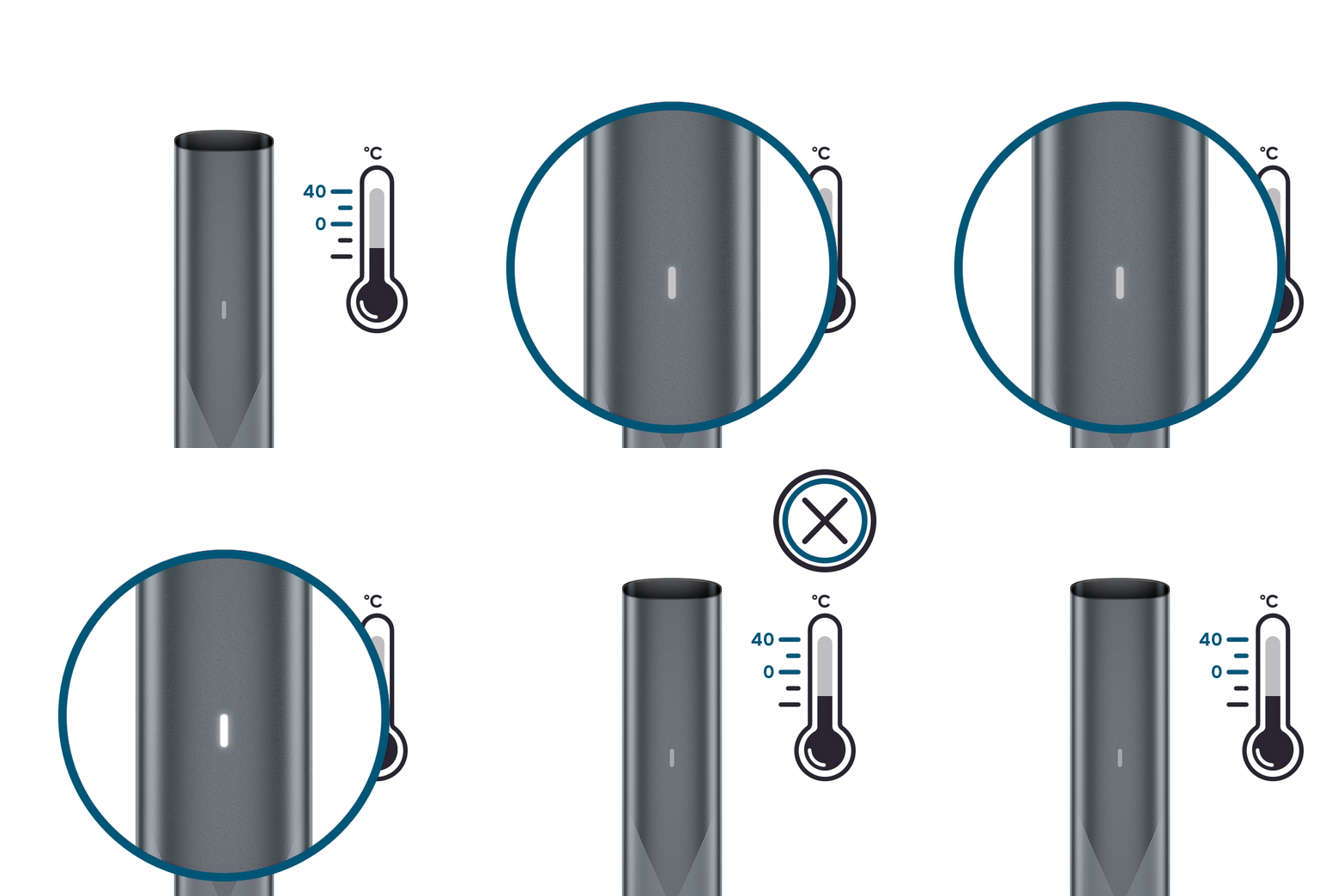
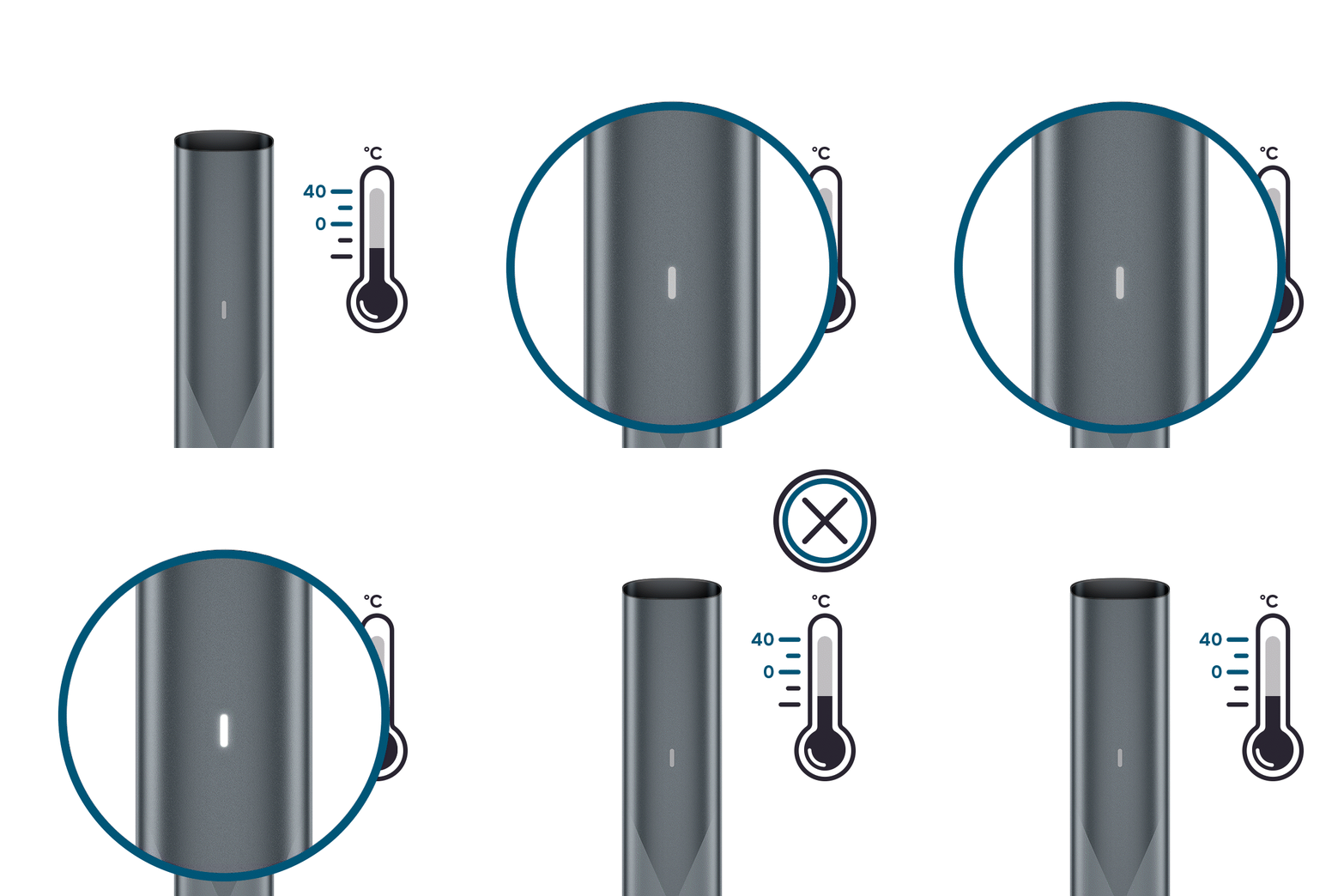
    1. Ensure the device is charged within the recommended operating temperature range from 0 to 40°C. If required, leave it to warm up or cool down for a few minutes. Try charging the device again.

    ● If the device is charged outside the operating temperature range, the light will blink white twice and charging will stop. If left connected, charging will resume once the device is back within the operating temperature range.

Did this resolve the issue?
YES NO

Issue Resolved

    Congratulations! We are happy that you can now continue enjoying VEEV ONE.

    We are frequently introducing new product and accessories. See what’s new by visiting our online store or at one of our retail stores

    VEEV CUSTOMER CARE

FINISH

Eligibility Check

    If your device is eligible we will replace it for you!

    If you proceed with eligibility check, you will not be able to return to the device diagnostics

Would you like to continue with an eligibility check?
START

Light on V-Ceramic™ pod insertion, but low or no aerosol

    Your device may report an error

    1. Observe if your device is blinking red

Is the light blinking red only when trying to use?
YES NO

Light blinking red only

    The contacts between your device and your V-Ceramic™ pod may need cleaning

    1. Take the V-Ceramic™ pod out and clean the contacts on both the device and V-Ceramic™ pod using a dry cloth.

    2. Reinsert the V-Ceramic™ pod ensuring that it is in the correct orientation and that it is fully pushed in place.

Did this resolve the issue?
YES NO

Issue Resolved

    Congratulations! We are happy that you can now continue enjoying VEEV ONE.

    We are frequently introducing new product and accessories. See what’s new by visiting our online store or at one of our retail stores

    VEEV CUSTOMER CARE

FINISH

Light blinking red only

    Your device may need a new V-Ceramic™ pod

    1. Try using a new V-Ceramic™ pod ensuring it is fully inserted.

Did this resolve the issue?
YES NO

Issue Resolved

    Congratulations! We are happy that you can now continue enjoying VEEV ONE.

    We are frequently introducing new product and accessories. See what’s new by visiting our online store or at one of our retail stores

    VEEV CUSTOMER CARE

FINISH

Light blinking red only

    Your device may be showing different lights

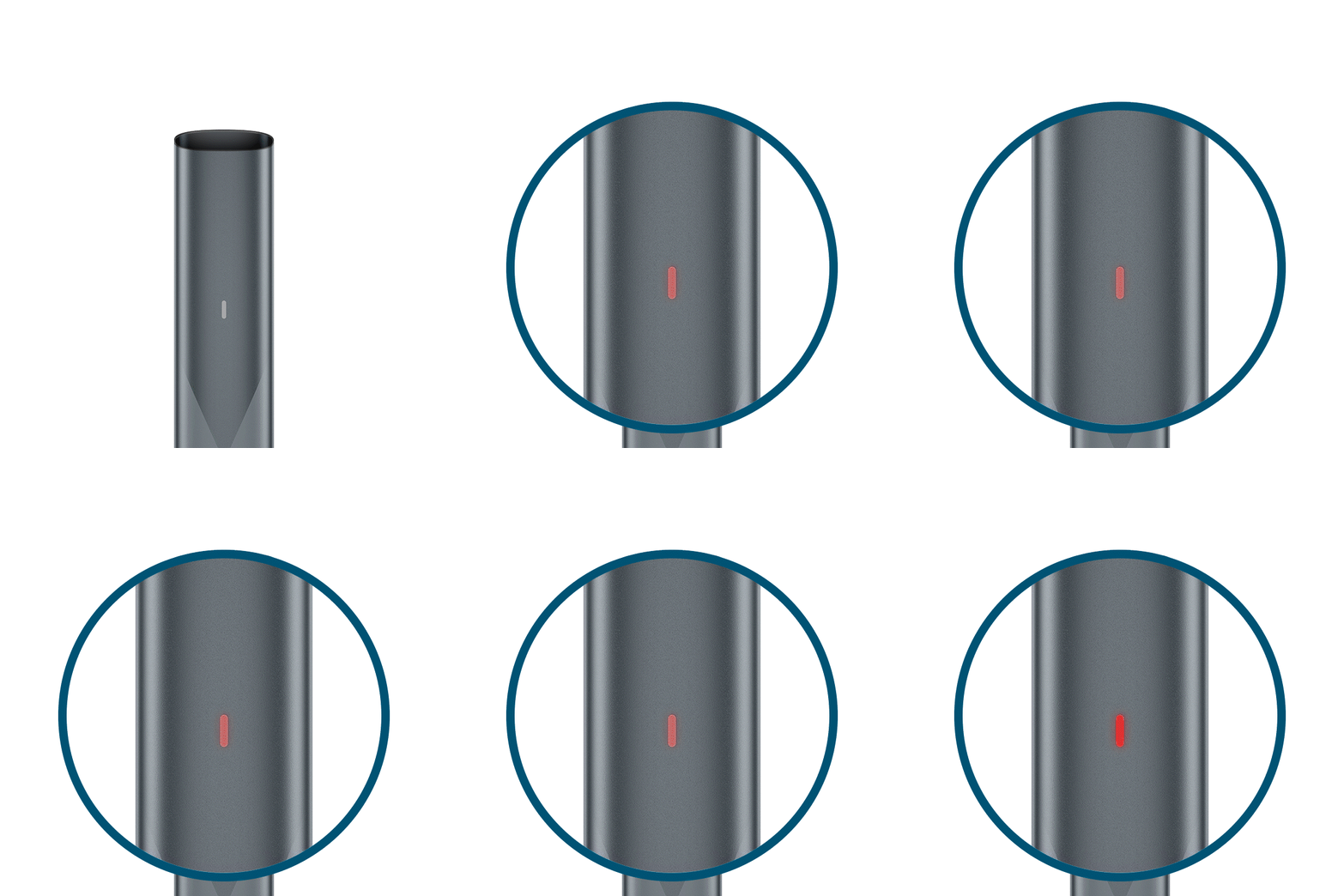
    1. Observe how many times your device is blinking red:

    ● Option A: the device blinks 10 times

    ● Option B: the device blinks 4 times

How many times is it blinking red?
Option A Option B

Eligibility Check

    If your device is eligible we will replace it for you!

    If you proceed with eligibility check, you will not be able to return to the device diagnostics

Would you like to continue with an eligibility check?
START

Eligibility Check

    If your device is eligible we will replace it for you!

    If you proceed with eligibility check, you will not be able to return to the device diagnostics

Would you like to continue with an eligibility check?
START

Light on V-Ceramic™ pod insertion, but low or no aerosol

    Your device may be out of temperature range or may have stopped working momentarily

    1. Observe if your device is blinking white 2 times or 5 times when trying to use

Is the light blinking white 2 times and 5 times when trying to use?
YES NO

Light blinking white and no aerosol

    Your device stopped working temporarily

    • Please note: when using for more than 5 seconds, the device will stop the delivery of aerosol and the light will blink white 5 times. You can start using right after if so needed.

Did this resolve the issue?
YES NO

Issue Resolved

    Congratulations! We are happy that you can now continue enjoying VEEV ONE.

    We are frequently introducing new product and accessories. See what’s new by visiting our online store or at one of our retail stores

    VEEV CUSTOMER CARE

FINISH

Light blinking white and no aerosol

    Your device may be out of temperature range

    1. Ensure that the device is used within the temperature range (0- 40°C). If required leave it to warm up or cool down for a few minutes.

    ● Please note: the light will blink twice when trying to use until the device is back within the recommended operating temperature range.

Did this resolve the issue?
YES NO

Issue Resolved

    Congratulations! We are happy that you can now continue enjoying VEEV ONE.

    We are frequently introducing new product and accessories. See what’s new by visiting our online store or at one of our retail stores

    VEEV CUSTOMER CARE

FINISH

Eligibility Check

    If your device is eligible we will replace it for you!

    If you proceed with eligibility check, you will not be able to return to the device diagnostics

Would you like to continue with an eligibility check?
START

Light on V-Ceramic™ pod insertion, but low or no aerosol

    There might be an issue with your V-Ceramic™ pod

    ​Try using a new V-Ceramic™ pod ensuring that it is in the correct orientation and fully inserted.

Did this resolve the issue?
YES NO

Issue Resolved

    Congratulations! We are happy that you can now continue enjoying VEEV ONE.

    We are frequently introducing new product and accessories. See what’s new by visiting our online store or at one of our retail stores

    VEEV CUSTOMER CARE

FINISH

Eligibility Check

    If your device is eligible we will replace it for you!

    If you proceed with eligibility check, you will not be able to return to the device diagnostics

Would you like to continue with an eligibility check?
START

Light on when inserting a V-Ceramic™ pod but device is not charging

    Your device's USB port and charging cable may be contaminated

    1. Unplug the device and ensure that the charging ports on both the device and the charging cable are clean and free from contamination.

    2. Charge the device using a compatible charging cable and AC adaptor for a minimum of 10 minutes or until the light stays white.

Did this resolve the issue?
YES NO

Issue Resolved

    Congratulations! We are happy that you can now continue enjoying VEEV ONE.

    We are frequently introducing new product and accessories. See what’s new by visiting our online store or at one of our retail stores

    VEEV CUSTOMER CARE

FINISH

Light on when inserting a V-Ceramic™ pod but device is not charging

    Your charging cable or AC power adaptor may be damaged

    If available, try charging the device with a different compatible AC power adaptor and charging cable for a minimum of 10 minutes, or until the light stays white.

Did this resolve the issue?
YES NO

Issue Resolved

    Congratulations! We are happy that you can now continue enjoying VEEV ONE.

    We are frequently introducing new product and accessories. See what’s new by visiting our online store or at one of our retail stores

    VEEV CUSTOMER CARE

FINISH

Light on when inserting a V-Ceramic™ pod but device is not charging

    Your device may be operating outside of the recommended temperature range

    1. Ensure the device is charged within the recommended operating temperature range from 0 to 40°C. If required, leave it to warm up or cool down for a few minutes. Try charging the device again.

    ● If the device is charged outside the operating temperature range, the light will blink white twice and charging will stop. If left connected, charging will resume once the device is back within the operating temperature range.

Did this resolve the issue?
YES NO

Issue Resolved

    Congratulations! We are happy that you can now continue enjoying VEEV ONE.

    We are frequently introducing new product and accessories. See what’s new by visiting our online store or at one of our retail stores

    VEEV CUSTOMER CARE

FINISH

Eligibility Check

    If your device is eligible we will replace it for you!

    If you proceed with eligibility check, you will not be able to return to the device diagnostics

Would you like to continue with an eligibility check?
START

Light blinking red only

    The contacts between your device and your V-Ceramic™ pod may need cleaning

    1. Take the V-Ceramic™ pod out and clean the contacts on both the device and V-Ceramic™ pod using a dry cloth.

    2. Reinsert the V-Ceramic™ pod ensuring that it is in the correct orientation and that it is fully pushed in place.

Did this resolve the issue?
YES NO

Issue Resolved

    Congratulations! We are happy that you can now continue enjoying VEEV ONE.

    We are frequently introducing new product and accessories. See what’s new by visiting our online store or at one of our retail stores

    VEEV CUSTOMER CARE

FINISH

Light blinking red only

    Your device may need a new V-Ceramic™ pod

    1. Try using a new V-Ceramic™ pod ensuring it is fully inserted.

Did this resolve the issue?
YES NO

Issue Resolved

    Congratulations! We are happy that you can now continue enjoying VEEV ONE.

    We are frequently introducing new product and accessories. See what’s new by visiting our online store or at one of our retail stores

    VEEV CUSTOMER CARE

FINISH

Light blinking red only

    Your device may be showing different lights

    1. Observe how many times your device is blinking red:

    ● Option A: the device blinks 10 times

    ● Option B: the device blinks 4 times

How many times is it blinking red?
Option A Option B

Eligibility Check

    If your device is eligible we will replace it for you!

    If you proceed with eligibility check, you will not be able to return to the device diagnostics

Would you like to continue with an eligibility check?
START

Eligibility Check

    If your device is eligible we will replace it for you!

    If you proceed with eligibility check, you will not be able to return to the device diagnostics

Would you like to continue with an eligibility check?
START

Light blinking red then white

    Your device may be locked

    1. Ensure that the device is unlocked by inserting the V-Ceramic™ pod 3 consecutive times within 3 seconds. Repeat until the light blinks white once.

    2. Please note: If the device is locked, the light will blink red then white upon V-Ceramic™ pod insertion.

    If the device is unlocked, the light will blink white once upon V-Ceramic™ pod insertion.

Did this resolve the issue?
YES NO

Issue Resolved

    Congratulations! We are happy that you can now continue enjoying VEEV ONE.

    We are frequently introducing new product and accessories. See what’s new by visiting our online store or at one of our retail stores

    VEEV CUSTOMER CARE

FINISH

Light blinking red then white

    Your device may have low liquid

    1. Take the V-Ceramic™ pod out and clean the contacts on the device using a clean dry cloth. Insert new V-Ceramic™ pod 

    ● The light will blink red then white 3 times when the V-Ceramic™ pod is running out of liquid 

Did this resolve the issue?
YES NO

Issue Resolved

    Congratulations! We are happy that you can now continue enjoying VEEV ONE.

    We are frequently introducing new product and accessories. See what’s new by visiting our online store or at one of our retail stores

    VEEV CUSTOMER CARE

FINISH

Light blinking red then white

    Your device may have low battery

    1. Charge the device using a compatible AC power adaptor and charging cable for a minimum of 10 minutes or until the light stays white: The white light will blink during charging.

    2. Unplug the device and check if the light is still blinking red and white when trying to use.

Did your device charge when plugged in?
YES NO

Light blinking red then white

    Your device may have low battery

    Unplug the device and check if the light is still blinking red the white when trying to use.

Is the issue solved?
YES NO

Issue Resolved

    Congratulations! We are happy that you can now continue enjoying VEEV ONE.

    We are frequently introducing new product and accessories. See what’s new by visiting our online store or at one of our retail stores

    VEEV CUSTOMER CARE

FINISH

Eligibility Check

    If your device is eligible we will replace it for you!

    If you proceed with eligibility check, you will not be able to return to the device diagnostics

Would you like to continue with an eligibility check?
START

Light on when inserting a V-Ceramic™ pod but device is not charging

    Your device's USB port and charging cable may be contaminated

    1. Unplug the device and ensure that the charging ports on both the device and the charging cable are clean and free from contamination.

    2. Charge the device using a compatible charging cable and AC adaptor for a minimum of 10 minutes or until the light stays white. 

Did this resolve the issue?
YES NO

Issue Resolved

    Congratulations! We are happy that you can now continue enjoying VEEV ONE.

    We are frequently introducing new product and accessories. See what’s new by visiting our online store or at one of our retail stores

    VEEV CUSTOMER CARE

FINISH

Light on when inserting a V-Ceramic™ pod but device is not charging

    Your charging cable or AC power adaptor may be damaged

    If available, try charging the device with a different compatible AC power adaptor and charging cable for a minimum of 10 minutes, or until the light stays white.

Did this resolve the issue?
YES NO

Issue Resolved

    Congratulations! We are happy that you can now continue enjoying VEEV ONE.

    We are frequently introducing new product and accessories. See what’s new by visiting our online store or at one of our retail stores

    VEEV CUSTOMER CARE

FINISH

Light on when inserting a V-Ceramic™ pod but device is not charging

    Your device may be operating outside of the recommended temperature range

    1. Ensure the device is charged within the recommended operating temperature range from 0 to 40°C. If required, leave it to warm up or cool down for a few minutes. Try charging the device again.

    ● If the device is charged outside the operating temperature range, the light will blink white twice and charging will stop. If left connected, charging will resume once the device is back within the operating temperature range.

Did this resolve the issue?
YES NO

Issue Resolved

    Congratulations! We are happy that you can now continue enjoying VEEV ONE.

    We are frequently introducing new product and accessories. See what’s new by visiting our online store or at one of our retail stores

    VEEV CUSTOMER CARE

FINISH

Eligibility Check

    If your device is eligible we will replace it for you!

    If you proceed with eligibility check, you will not be able to return to the device diagnostics

Would you like to continue with an eligibility check?
START

Light blinking white and no aerosol

    Your device stopped working temporarily

    • Please note: when using for more than 5 seconds, the device will stop the delivery of aerosol and the light will blink white 5 times. You can start using right after if so needed.

Did this resolve the issue?
YES NO

Issue Resolved

    Congratulations! We are happy that you can now continue enjoying VEEV ONE.

    We are frequently introducing new product and accessories. See what’s new by visiting our online store or at one of our retail stores

    VEEV CUSTOMER CARE

FINISH

Light blinking white and no aerosol

    Your device may be out of temperature range

    1. Ensure that the device is used within the temperature range (0- 40°C). If required leave it to warm up or cool down for a few minutes.

    ● Please note: the light will blink twice when trying to use until the device is back within the recommended operating temperature range.

Did this resolve the issue?
YES NO

Issue Resolved

    Congratulations! We are happy that you can now continue enjoying VEEV ONE.

    We are frequently introducing new product and accessories. See what’s new by visiting our online store or at one of our retail stores

    VEEV CUSTOMER CARE

FINISH

Visit Get Support Page!

    Within “Get Support” page, you can find useful tip and tricks, and more information about your device usage and maintenance. Visit get support page!
     
    VEEV CUSTOMER CARE

FINISH

Device Leaking (connection area)

    [Knowledge only, NOT to be communicated]

    Note that any leakage is V-Ceramic™ pod related as the e-liquid does not circulate through the device.

    Also note that there is no need to lock the device prior to cleaning the contacts

    1. Remove the V-Ceramic™ pod and use a clean dry cloth to clean the area with spillage, the device’s contacts/connectors as well as the mouthpiece slot.

    2. Insert the new V-Ceramic™ pod.

    3. Ensure the device is unlocked by inserting the V-Ceramic™ pod 3 consecutive times within 3 seconds. Repeat until the light blinks white once and try using it again.

Did this resolve the issue?
YES NO

Issue Resolved

    Congratulations! We are happy that you can now continue enjoying VEEV ONE.

    We are frequently introducing new product and accessories. See what’s new by visiting our online store or at one of our retail stores

    VEEV CUSTOMER CARE

FINISH

Eligibility Check

    If your device is eligible we will replace it for you!

    If you proceed with eligibility check, you will not be able to return to the device diagnostics

Would you like to continue with an eligibility check?
START

Overheating or plastic softening around USB cable

    [Knowledge only, NOT to be communicated]

    1. Inform the user of contamination such as fluff, dirt, dust or moisture from the USB connectors can interfere with the transmission of current from the AC power adaptor to the device and cause overheating.

    2. Advise the user to disconnect the device and let it cool down before handling it.

Is the device damaged?
YES NO

Not Covered

    We are sorry accidental damage coverage is not covered under warranty. If you need any further support on your device, you can also visit our FAQs

    or

    If you wish to reach a customer service representative, visit “contact us” page to choose the channel of your preference.

    VEEV CUSTOMER CARE

FINISH

Overheating or plastic softening around USB cable

    1. Ask the user to clean or dry the USB port on the device 

    ● To avoid damaging the device, do not use a metal tool to clean the device and ensure the device is turned off during cleaning.

    2. Check if the charging cable is damaged

    ● OPTION A: the charging cable is damaged: Advise the user to buy a new compatible charger and ensure that a compatible AC power adaptor is used. 

    ● OPTION B: the charging cable is not damaged: Ask the user to clean or dry the USB on both the device or charging cable.

    3. Ask the user to charge the device under supervision, do not leave the device unattended for the first few minutes of charge to check for potential overheating.

Did this resolve the issue?
Option A Option B

Issue Resolved

    Congratulations! We are happy that you can now continue enjoying VEEV ONE.

    We are frequently introducing new product and accessories. See what’s new by visiting our online store or at one of our retail stores

    VEEV CUSTOMER CARE

FINISH

Overheating or plastic softening around USB cable

    Ask the user to charge the device under supervision. Do not leave the device unattended for the first few minutes of charge to check for potential overheating.

Did this resolve the issue?
YES Option B

Issue Resolved

    Congratulations! We are happy that you can now continue enjoying VEEV ONE.

    We are frequently introducing new product and accessories. See what’s new by visiting our online store or at one of our retail stores

    VEEV CUSTOMER CARE

FINISH

Not Covered

    We are sorry accidental damage coverage is not covered under warranty. If you need any further support on your device, you can also visit our FAQs

    or

    If you wish to reach a customer service representative, visit “contact us” page to choose the channel of your preference.

    VEEV CUSTOMER CARE

FINISH

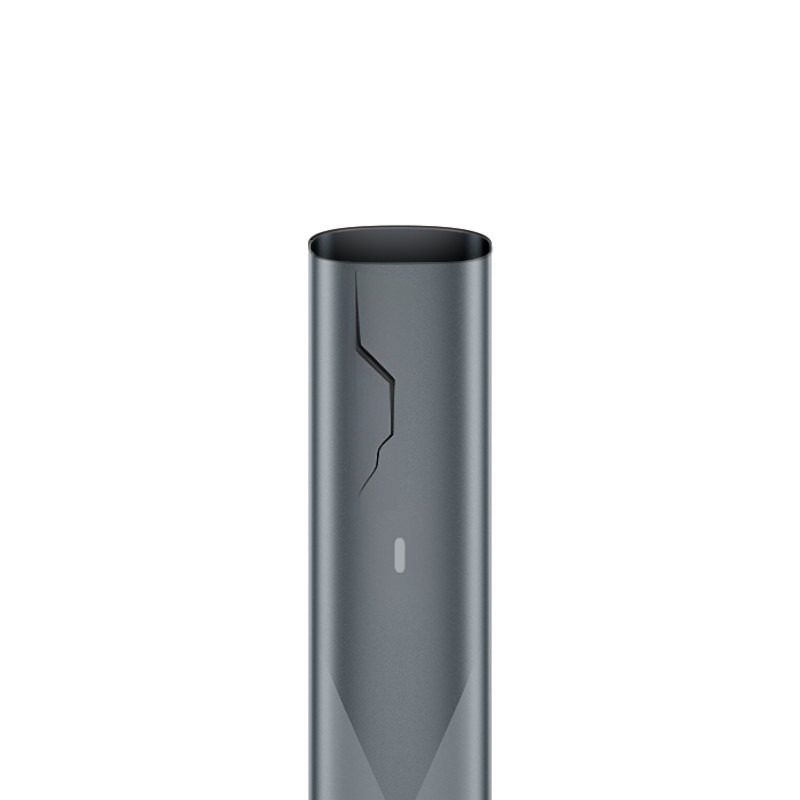
Physical Damage

    Your device may be exposed to liquids

Was your device exposed to liquid?     
YES NO

Not Covered

    We are sorry accidental damage coverage is not covered under warranty. If you need any further support on your device, you can also visit our FAQs

    or

    If you wish to reach a customer service representative, visit “contact us” page to choose the channel of your preference.

    VEEV CUSTOMER CARE

FINISH

Physical Damage

    Check if your device is still functioning despite having physical damage.

Are you still able to use your device with this damage?     
YES NO

Issue Resolved

    Congratulations! We are happy that you can now continue enjoying VEEV ONE.

    We are frequently introducing new product and accessories. See what’s new by visiting our online store or at one of our retail stores

    VEEV CUSTOMER CARE

FINISH

Not Covered

    We are sorry accidental damage coverage is not covered under warranty. If you need any further support on your device, you can also visit our FAQs

    or

    If you wish to reach a customer service representative, visit “contact us” page to choose the channel of your preference.

    VEEV CUSTOMER CARE

FINISH

I couldn’t find my issue

    Your device may be operating at a different temperature

    1. Ensure that the device is used within the temperature range (0- 40°C). If required leave it to warm up or cool down for a few minutes. When outside of temperature range, the device will blink twice, and you will experience no or low aerosol.

Did this resolve the issue?     
YES NO

Issue Resolved

    Congratulations! We are happy that you can now continue enjoying VEEV ONE.

    We are frequently introducing new product and accessories. See what’s new by visiting our online store or at one of our retail stores

    VEEV CUSTOMER CARE

FINISH

I couldn’t find my issue

    Your device may need to be charged

    1. Ensure that the charging ports on both the device and charging cable are clean and free from contamination.

    2. Charge the device using a compatible AC power adaptor and charging cable for a minimum of 10 minutes or until the light stays white.

Did this resolve the issue?
YES NO

Issue Resolved

    Congratulations! We are happy that you can now continue enjoying VEEV ONE.

    We are frequently introducing new product and accessories. See what’s new by visiting our online store or at one of our retail stores

    VEEV CUSTOMER CARE

FINISH

I couldn’t find my issue

    Your device might be locked

    1. Ensure that the device is unlocked by inserting the V-Ceramic™ pod 3 consecutive times within 3 seconds. Repeat until the light blinks white once and try using it again.

    ● Please note: If the device is locked, the light will blink red then white upon V-Ceramic™ pod insertion. If the device is unlocked, the light will blink white once upon V-Ceramic™ pod insertion.

Did this resolve the issue?
YES NO

Issue Resolved

    Congratulations! We are happy that you can now continue enjoying VEEV ONE.

    We are frequently introducing new product and accessories. See what’s new by visiting our online store or at one of our retail stores

    VEEV CUSTOMER CARE

FINISH

I couldn’t find my issue

    Your device may need cleaning

    1. Take the V-Ceramic™ pod out and clean the contacts on the device using a clean dry cloth.

    2. Insert a new V-Ceramic™ pod that is in the correct orientation and ensure that is fully pushed into place.

Did this resolve the issue?
YES NO

Issue Resolved

    Congratulations! We are happy that you can now continue enjoying VEEV ONE.

    We are frequently introducing new product and accessories. See what’s new by visiting our online store or at one of our retail stores

    VEEV CUSTOMER CARE

FINISH

Eligibility Check

    If your device is eligible we will replace it for you!

    If you proceed with eligibility check, you will not be able to return to the device diagnostics

Would you like to continue with an eligibility check?
START

Great!

Enjoy using your VEEV One

DONE
This product is not risk-free and provides nicotine, which is addictive. Only for use by adults. 
  1. Home
  2. M0032_GLOBAL

Useful Links

  • Check our locations
  • Go to PMI.com

Customer Care

  • Contact Us
  • Get support
  • FAQ

Follow us

  • News
  • Instagram
  • Facebook

Language

© 2025 Philip Morris (Malaysia) Sdn Bhd - 199301023745 - All rights reserved.

  • Privacy Notice
  • Terms of Use
  • Cookie Preferences
  • Company Information
  • Good Conversion Practices
  • English
  • Bahasa Melayu

Enter your month and year of birth to confirm that you are 18 years old or over and a smoker.

Enter your month and year of birth to confirm that you are 18 years old or over and a smoker.

Please select your month of birth
Please select your year of birth

Are you 18 years old or over and living in Malaysia?

The website contains information about Philip Morris International smoke-free products, which are exclusively for adults in Malaysia who would otherwise continue to use other nicotine products. Smoke-free products are not an alternative to quitting and are not designed as cessation aids. They are not-risk free and contain nicotine, which is addictive. Only use by adults. Please visit important information page for further risk information. By continuing to use the website, you confirm that you have read and accepted our Terms of Use & Privacy Notice.

Country redirect

IQOS

Please note this site is intended for Malaysia. In order to ensure compliance with local legal requirement, we need to redirect you to your country of origin.

CONTINUE Arrow right